Know what to sow, how much, and by when, before it is too late.
Production decides how each plant is grown, when, and how many. Your growers' knowledge goes into growing recipes once; OperoNMS turns orders into batches, allows for losses in every phase, and tells you the sow-by date.
Your growers' knowledge, written down once and used everywhere.
A production profile, or growing recipe, describes one plant grown one way at one nursery: for example "Eucalyptus grandis, South East Nursery, from seed", or "Grandis clonal mini-hedges".
- Phases: sow and germinate, grow on in shade, harden off, dispatch staging. Each with its duration, growing environment, density, expected loss and role.
- Seasonal timing: durations change with the start month, because plants grow slower in winter.
- Materials per thousand plants, by phase, and grower's notes per phase.
- Actuals feedback: planned against actual from finished batches, the evidence for changing the recipe.
- Methods: seed, cutting, bought-in plugs, transplant, hedge or stock plants.
Plan forward from sowing, or backward from the week you need them.
A batch is one crop of one plant, planned from one released recipe. Plan it forward from a start date and quantity, or backward from the ready date and the quantity you want to sell. OperoNMS works back to the sowing date and the start quantity, allowing for every phase's losses.
- Trays suggested from the tray type, and how many beds that needs
- "Calculate the plan" previews start, yield, ready date, lead time and peak area, phase by phase
- Saved as a draft; a manager releases it with a reason
- A released batch feeds the schedule, sales availability and space placement
- Batch record tabs: phases, allocations, actuals, trays & QR and traceability
Plan a batch backward from the ready date.
Pick a recipe, say how many plants you need and when. This is the same arithmetic OperoNMS does for every batch and every proposal, with your own recipes and your own loss rates.
Recipe values in this demo are illustrative.
Spread a season's total across the weeks it is planted.
Planting seasons are not one week long. A distribution model spreads a season total over consecutive weeks: a ramp, a flat spread, or your own shape. Apply it to a species and method with a season total of plants ready for sale or plants to sow, and a first ready week.
- Build from a shape, or enter weekly percentages
- The weeks always add up to the total
- Weekly batches are created as drafts for review
Spring ramp · Grandis eucalypt · 1,200,000 ready for sale
| Week | Share | Ready for sale | To set | Batch |
|---|---|---|---|---|
| W39 '26 | 11.9% | 142,800 | 176,300 | Draft |
| W40 '26 | 14.9% | 178,800 | 220,700 | Draft |
| W41 '26 | 14.9% | 178,800 | 220,700 | Draft |
Every morning, OperoNMS checks every order against what will be ready.
The daily order-cover check compares accepted orders with projected ready plants. Where an order would be short and sowing must start within four weeks, it proposes a batch: species, start quantity, trays and sow-by week. Late or overdue proposals are flagged.
- Why this batch: the orders it covers, projected supply, the shortfall, the latest sowing week and the recipe it uses.
- Space check for every phase: fits, short or not checked.
- Accept or decline with a reason. Accepting creates a draft batch.
- Queue, Coming up, Decided and Runs tabs. "Run check now" re-runs it at once.
The order book against production, and the week's sowing list.
Production Plan
Plants ordered, covered by existing stock, still to produce and not covered, viewed monthly, quarterly, half-yearly or yearly. Recalculate on demand; it never releases a plan or touches an order.
Production Schedule
Batches to sow or set, week by week, split by plan state, with a printable Weekly Set-up List for the team on Monday.
What you can still promise, week by week.
Projected ready plants per species and grade per week, split into unallocated, projected and reserved. Sales sees what can still be sold without double-promising; orders reserve plants against it, and nothing is oversold.
How orders reserve stockAsk "what if?" without breaking the plan.
Save the current plan as a scenario, change it, and compare scenarios side by side: an extra tunnel, a bigger order, a slower winter. Evaluating a scenario creates nothing; making one live creates draft batches for review.
Compare scenarios · South East Nursery · FY2027
| Measure | Live plan | +1 hardening camp | Sow pine 2 weeks earlier |
|---|---|---|---|
| Plants ready for dispatch | 8,412,000 | 9,036,000 | 8,412,000 |
| Orders covered | 94.1% | 99.2% | 96.0% |
| Weeks over 100% space | 6 | 0 | 2 |
| Batches it would create | – | 14 drafts | 9 drafts |
For clonal nurseries: hedges, cuts and cutting supply that balances every week.
Mother hedges and mini-hedges are batches with a harvest yield model. Cuttings cannot be stored, so each week's harvest must balance against the rooting batches planned for it.
Hedge Management
Hedges in harvest, plants entering harvest, cuttings in the last 28 days; plan against recorded per hedge, and an estimate for the next four weeks. Record a cut, check a hedge, plant new hedges. Hedge health is its rooting: red below 60%, yellow below 70%, green from 70%.
Cutting supply · all clones · South East Nursery
| Week | Expected cuttings | Needed for batches | Balance | What it means |
|---|---|---|---|---|
| W45 '26 | 571,989 | 498,000 | 73,989 | Unused cuttings, room to set a batch |
| W46 '26 | 599,227 | 612,500 | −13,273 | Short: move a setting or cut harder |
| W47 '26 | 599,227 | 540,000 | 59,227 | Unused cuttings, room to set a batch |
| W48 '26 | 612,410 | 610,000 | 2,410 | Balanced |
Cutting supply
Expected cuttings per week against cuttings needed for planned rooting batches. You see "unused cuttings, room to set a batch", or a shortfall, weeks ahead. Hedges are retired for renewal or disposed of when unfit, and every plant is accounted for.
A shared catalogue, seed lots you can trace, recipes you can share.
Species & varieties
One plant catalogue for the group: code, common and botanical name, variety, plant group and clones.
Seed lots
Lot number, species, source orchard or provenance, collection year, kilograms received and germination tests, traced through to the planted compartment.
Profile repository
Export a released recipe as a package and import it into another nursery group as a draft. An import never changes an existing recipe.
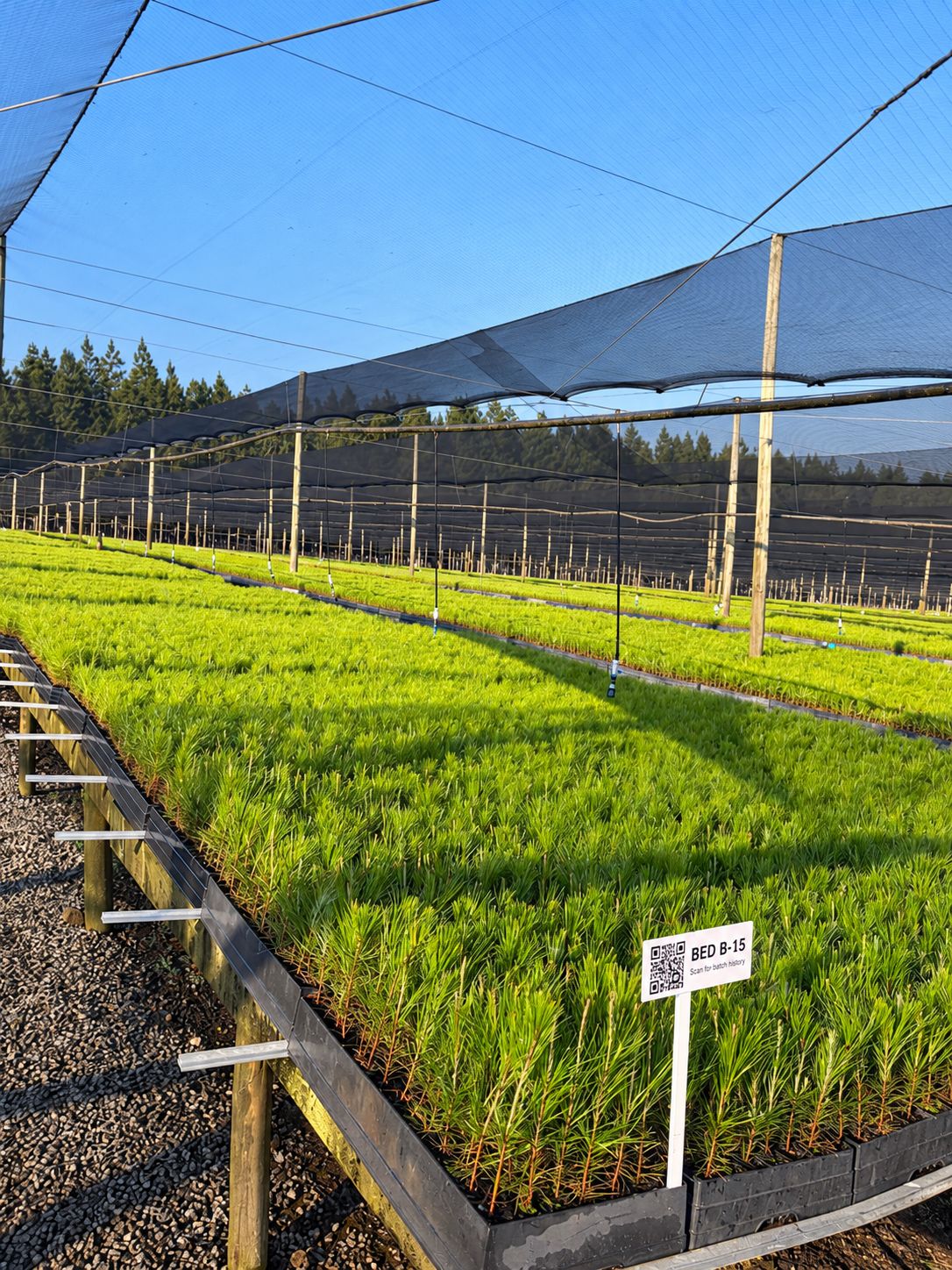
Be one of our first pilot nurseries.
We work closely with a small group of nurseries to set up OperoNMS on their sites. You get hands-on setup and training, your own nursery's layout and recipes loaded with you, and a direct say in what we build next.