One system for the whole nursery, from the order to the planted compartment.
OperoNMS is a set of modules that share one plan. Production decides how and when every plant is grown, and space, availability and dispatch are all calculated from it. What the floor records flows back, so next season's plan uses what really happened.
Each module answers one question your nursery asks every week.
Production planning
What should we sow, and when? Growing recipes, batches planned forward or backward, daily production proposals, the production plan and schedule, sales availability, plan scenarios, mother hedges and cutting supply.
Production planningSpace & layout
Where will it grow? Camps, tunnels and beds drawn to scale, trays and how they lie on a bed, placement week by week, automatic placement and the space utilisation heat table.
Space & layoutOrders & customers
Who needs what, and when? Orders routed to the closest nursery, reservations that never oversell, holds, write-offs, customers, price records, the surplus stock board and an optional projected → adjusted → actual order cycle.
Orders & customersDispatch & quality
Did it leave on time, to spec? Delivery requests, inspections against dispatch specifications, picking, loading, delivery notes, the returnable tray ledger, truck planning and purchase requests.
Dispatch & qualityFloor tablet & traceability
What really happened? QR labels on every batch and bed, counts and losses on an offline Android tablet, and a trace from seed lot or mother hedge to the customer who received it.
Floor tabletCustomer portal
What does the customer need to know? Their plantations and compartments, orders, delivery requests, holds, deliveries, receipts, problem reports and trays.
Customer portalDashboards & reports
How are we doing? A management dashboard with more than 70 measures, a report centre, Excel workbooks with charts, saved views and scheduled reports.
Dashboards & reportsIntegrations
How does it fit with what we have? Barcode scanners and label printers, with ERP and accounting connections on request.
IntegrationsEnter it once. Every module works from the same numbers.
There is no copying between screens. A released batch is immediately in the production schedule, the space plan and sales availability.
1 · Recipe
A growing recipe says how one plant is grown at one nursery: phases, durations, density, expected losses and materials.
2 · Demand
Orders say how many plants are needed, of what, where and in which month.
3 · Plan
Proposals and batches turn demand into sowings. Each phase books beds and materials on the right weeks.
4 · Reality
Counts, losses, inspections and dispatches are recorded as they happen, mostly on the tablet.
5 · Delivery
Delivery requests, quality passes, loads and delivery notes close the order, and trays come back through the ledger.
6 · Learning
Each recipe's Actuals Feedback compares planned with actual from finished batches: the evidence for changing the recipe next season.
The details that make it trustworthy on a busy Monday.
Menus by role
Each person sees only the menus their role allows. Pages you cannot open are hidden, not shown empty, and every action is checked again when it is saved.
A Home page that is a to-do list
Reminders for proposals to review, plant hold requests, dispatches to deliver and orders to accept, next to this week's KPIs and meters for space and order fill.
Every list downloads
PDF, Excel or CSV, exactly as filtered on screen. Excel files carry an "About this report" sheet saying who exported it, when, and with which filters.
Notifications that matter
A bell and inbox filtered by area and severity, with "remind me tomorrow". Email as each person prefers, and SMS on request.
Nothing is silently overwritten
If someone changed a record since you opened it, OperoNMS tells you instead of saving over their work. Records are corrected, never deleted.
Honest figures
A dash means no figure exists, never zero. Every measure explains how it is calculated, and the dashboard says what each number does not mean.
Find anything by its label
Type or paste a label code in the top bar and OperoNMS opens what it names: a batch, a bed, a seed lot or a dispatch, with its trace.
Your look and your help
Your logo in the app, your own helpdesk contact, a choice of themes and fonts, and a Help button that opens the help page for the screen you are on.
Weeks the way growers count them
Plans, layouts and schedules run in planning weeks (W42 '26), in your nursery's time zone, with your currency and VAT settings.
One nursery, or a whole division of them.
A nursery switcher in the top bar reloads every page for the chosen nursery, and group-wide roles see all of them at once. Orders route themselves to the closest nursery that grows the species. Spare plants at one nursery are offered to the others on the surplus stock board before anything is written off.
- Each nursery has its own layout, recipes and stock
- Species, customers, trays and roles are shared across the group
- Roles granted for one nursery, named nurseries or the whole group, read-and-write or read-only
- Recipes copied between nurseries, and exported to other groups as a package
Which modules does your nursery need?
Most nurseries start with the Production Planner and Space, then add Orders, Dispatch and the tablet in the first season. Modules are switched on for your organisation; nothing needs installing.
| Module | Best for | Key screens | Single nursery | Group |
|---|---|---|---|---|
| Production Planner Core | Every nursery | Production profiles, New Batch, Proposals, Production Plan, Schedule, Sales Availability, Scenarios, Hedges | ✓ | ✓ |
| Space & Locations | Nurseries short of room in peak weeks | Camps, Tunnels & Beds, Tray Types, Nursery Layout & Placement, Space Utilisation | ✓ | ✓ |
| Orders & Prices | Nurseries with many customers or an annual order round | Orders to Accept, Order book, Holds, Write-offs, Customers, Price records, Surplus board, Customer portal, optional Order Cycle | ✓ | ✓ |
| Truck & Trolley | Nurseries that deliver | Delivery Requests & Dispatch, Quality Control, Returnable Trays, Truck & Trolley Planner, Purchase Requests | ✓ | ✓ |
| Track & Trace | Anyone who needs real stock figures and recall | Android tablet (Count, Beds, QC, Dispatch, Me), labels, find by code, trace | ✓ | ✓ |
| Dashboards & Reports Included | Everyone | Management Dashboard, All Reports, saved and scheduled views | ✓ | ✓ |
"–" means the module is usually more than a single nursery needs, not that it is unavailable.
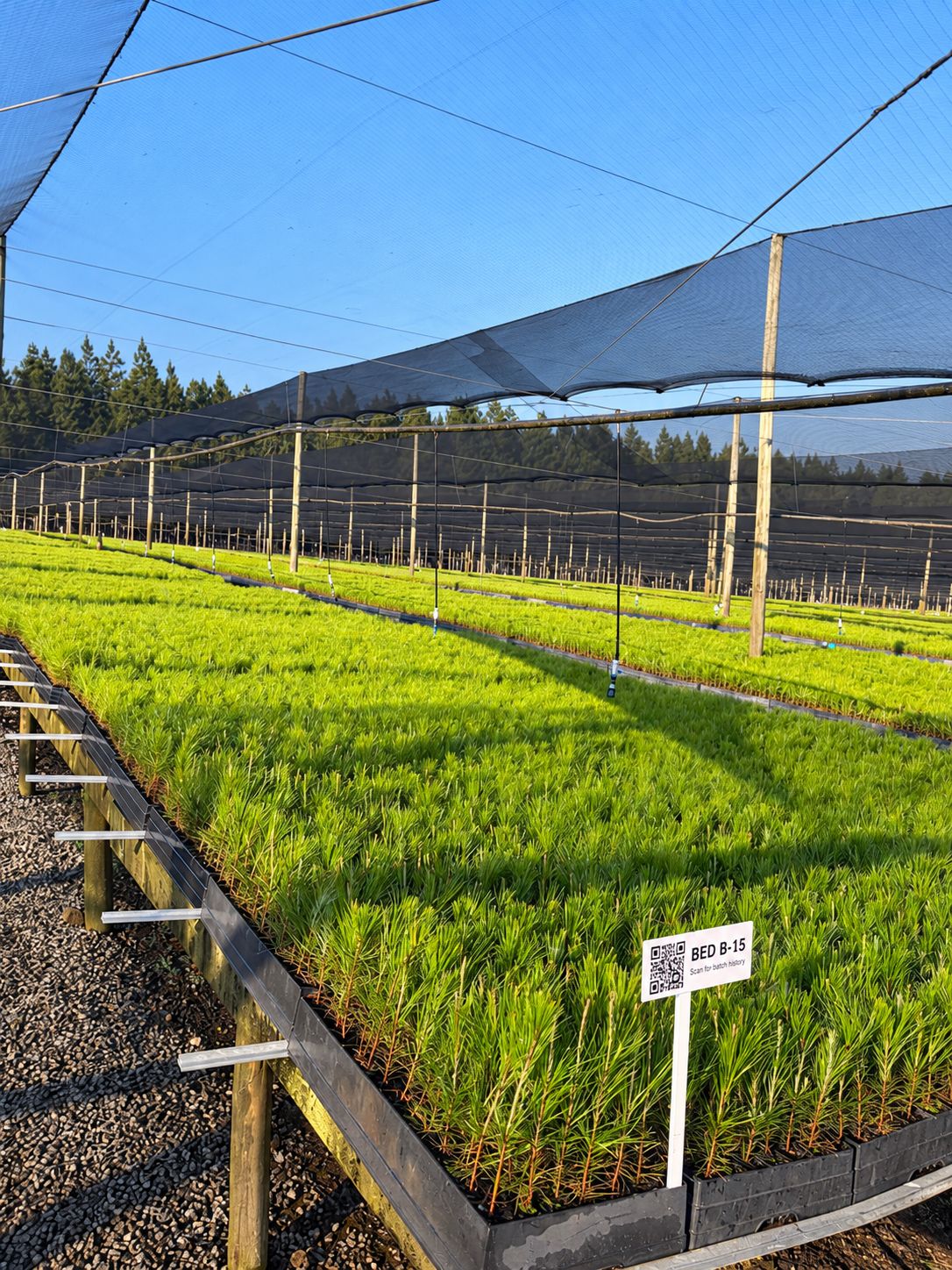
Be one of our first pilot nurseries.
We work closely with a small group of nurseries to set up OperoNMS on their sites. You get hands-on setup and training, your own nursery's layout and recipes loaded with you, and a direct say in what we build next.